

Comme vous le savez sûrement, vous devez mettre à jour votre Azure ad Connect avec la nouvelle version pour être sûr d’utiliser les nouvelles interfaces Graph API. Nous avons fait la mise à jour vers la version sans trop de problèmes mais nous n’avons pas réussi à remonter les états de santé de la synchronisation.
As you probably know, you need to update your Azure ad Connect to the new version to make sure you’re using the new Graph APIs. We’ve updated to the new version without too many problems, but we haven’t managed to pull up the Synchronization health status.

Nous nous sommes aperçu qu’une ancienne valeur de serveur proxy était toujours en place grâce au script Powershell fourni par les équipes supports (AADCHRep.ps1).Nous avons pu le modifier et relancer l’enregistrement du service via la commande : Register-AzureADConnectHealthSyncAgent.
Or comme vous pouvez le constater cette commande ne semble pas fonctionner correctement,
We discovered that an old proxy server value was still in place, thanks to the Powershell script provided by the support teams (AADCHRep.ps1), which we were able to modify and restart the service registration via the command: Register-AzureADConnectHealthSyncAgent.
However, as you can see, this command doesn’t seem to work properly,
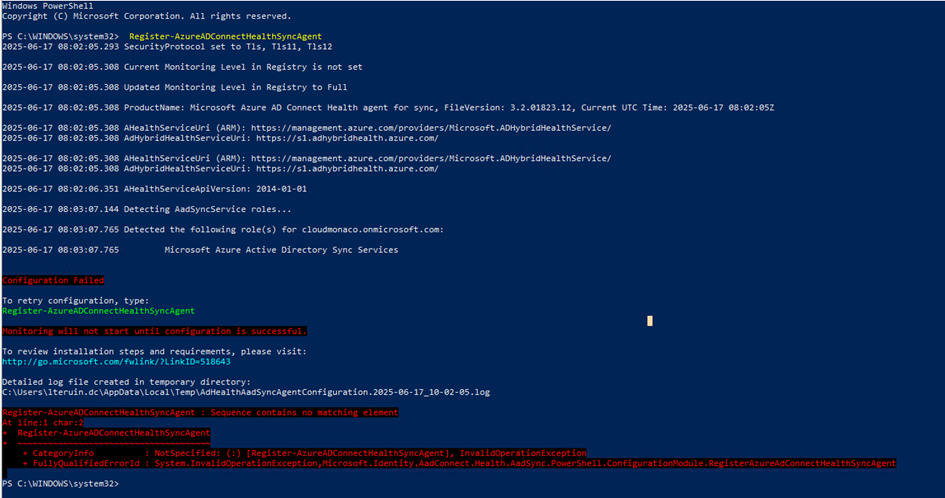
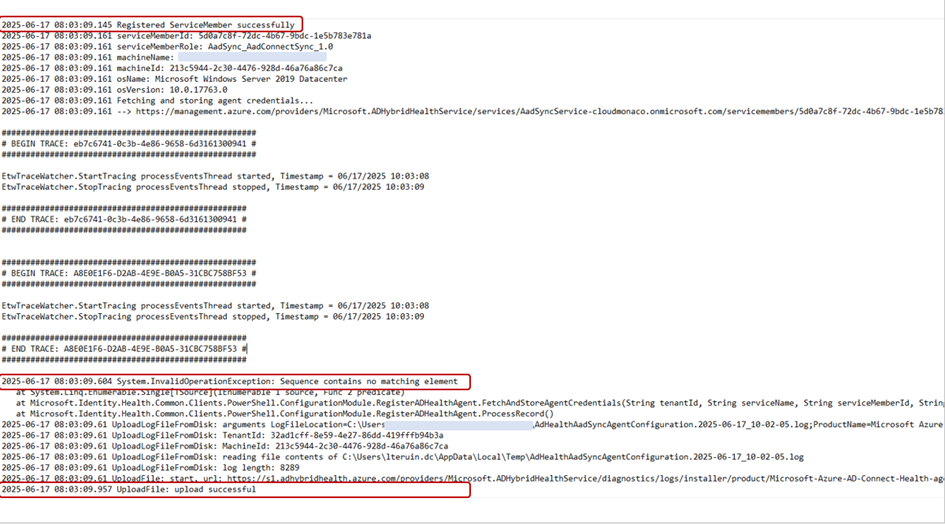
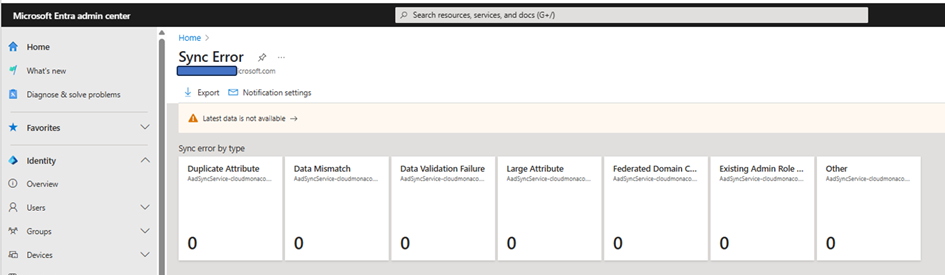
Ce qui a pour conséquence que nous n’avons pas les informations d’état de santé Azure AD connect dans le tenant azure
As a result, we do not have Azure AD connect health status information in the tenant azure
Nous avons ouvert un incident auprès du support technique qui vous le verrez a trouver l’origine du probléme / We have opened an incident with technical support who, as you will see, has found the source of the problem.
On a desinstallé l’ancienne version de l’agent

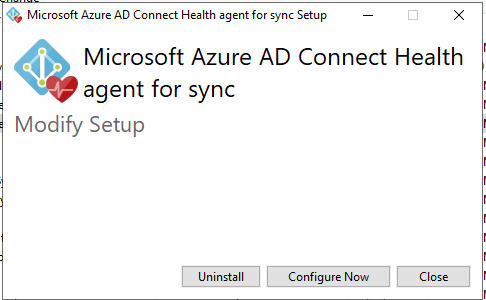
et installé la nouvelle version / and installed the new version
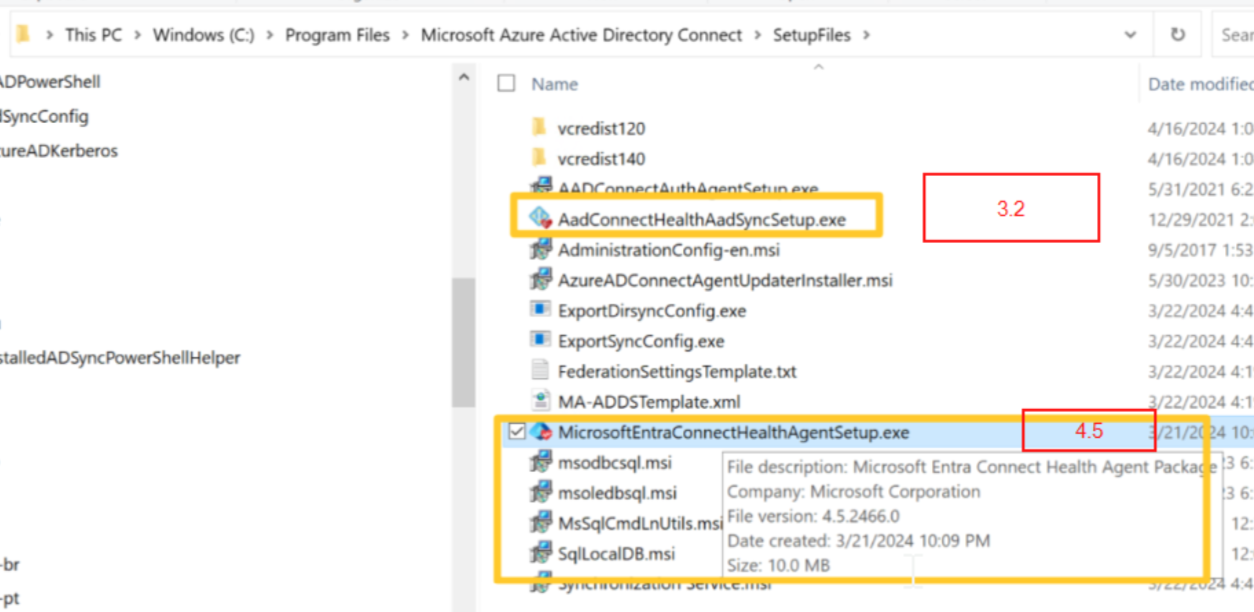
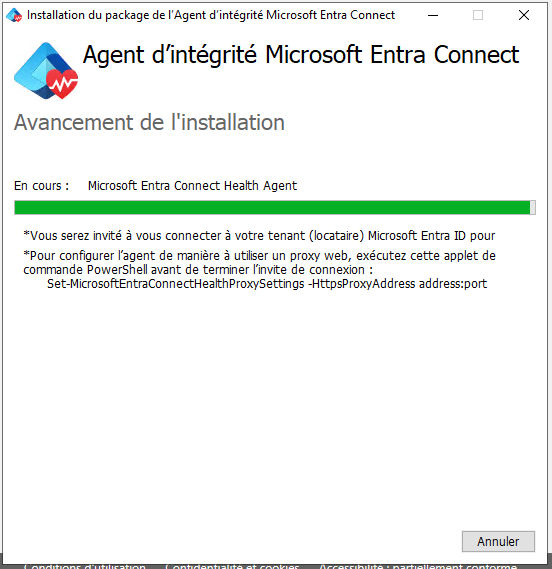
nous avons ensuite vérifer la configuration proxy en relancant le script AADCHRep.ps1 / We then checked the proxy configuration by rerunning the AADCHRep.ps1 script.
La commande passe beaucoup mieux !!! / The cmdlet goes through much better!!!
Il faut ensuite attendre deux heures .
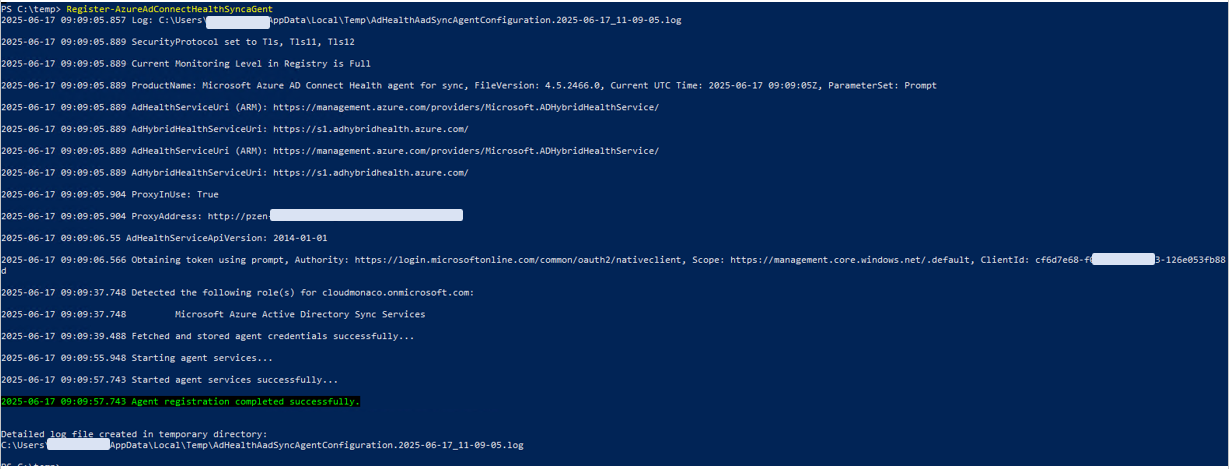
and …it is working !!! . Et ca fonctionne
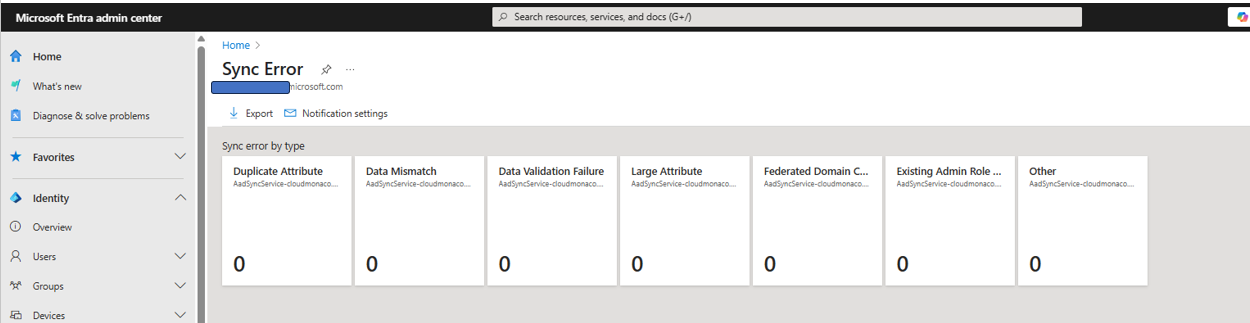
Merci au support MS / Thanks to MS support !!
 Travailler ensemble