


The purpose of this post is to present the problems of incompatibility between certain types of objects present in the Office 365 environment and Teams’ external access
In the example below, we have an Active Directory LT01.LOC forest with an Exchange 2010 environment in hybrid mode. The Active Directory forest is synchronized with the Office 365 Tenant.
In the forest in question we have created several types of objects which are as follows
- An email contact created in Exchange 1010 with the following SMTP address :LT01MAILCONTACT01@EXAKIS.COM
- A user with an email user extension (Mail user) with the following SMTP address :LT01MAILUSER@EXAKIS.COM
- A simple Active Directory user with an email address on his account:LT01USER01@EXAKIS.COM
Now let’s see how teams will react when we try to invite these people into a channel
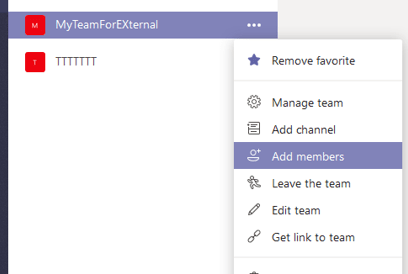
These three objects are obviously synchronized via azure AD connect
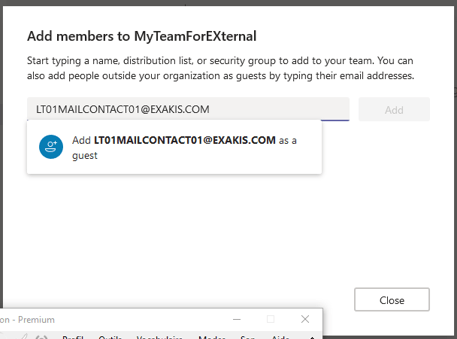
Test of the contact email
The contact is well synchronized in the azure AD environment, Teams will consider him as an external person, great !
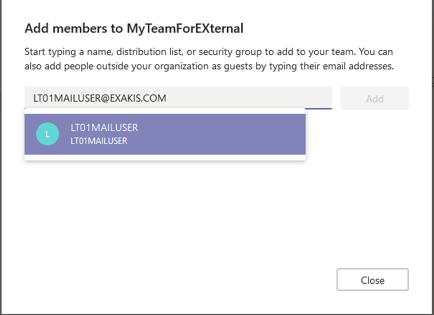
Mail user test
Although the user does not have mailboxes in our environment, the fact that he is registered as a user with mail user extension in the Exchange 2010 environment means that teams finds this entry and considers him as an internal person
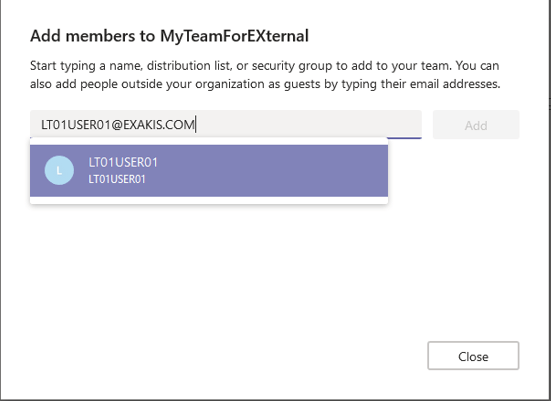
Test of a simple AD user with the mail field filled in
In the case of an simple Active Directory user who is synchronized in the Office 365 environment and in the case where the mail field is filled in with his external address, then teams considers him as an internal person
Conclusion
If you have user accounts with email extension (especially for your subcontractors) and you need to grant them external access via their email addresses then you will need to either license them on your tenant or not use the Mail user object type.
You will need to
1. Delete their mail user account
2. Created a simple Active Directory user without entering his email address if you want to synchronize it (I don’t see the point since the objective is not to assign licenses to him…) or enter his email address in the AD field but not synchronize it.
3. Create a mail contact with its external address to make it appear in the global address list of Microsoft Exchange Online and to be able to include it in distribution lists
Sincerely
Laurent TERUIN


Bonjour Laurent,
J’ai du mal à comprendre le lien entre tes essais et ta conclusion 😉
D’autre part apparemment le comportement a changé : on peut inviter des mailusers à une équipe Teams ou dans une réunion Teams, mais on ne peut pas inviter de mail contacts.
Amicalement,
J’aimeJ’aime